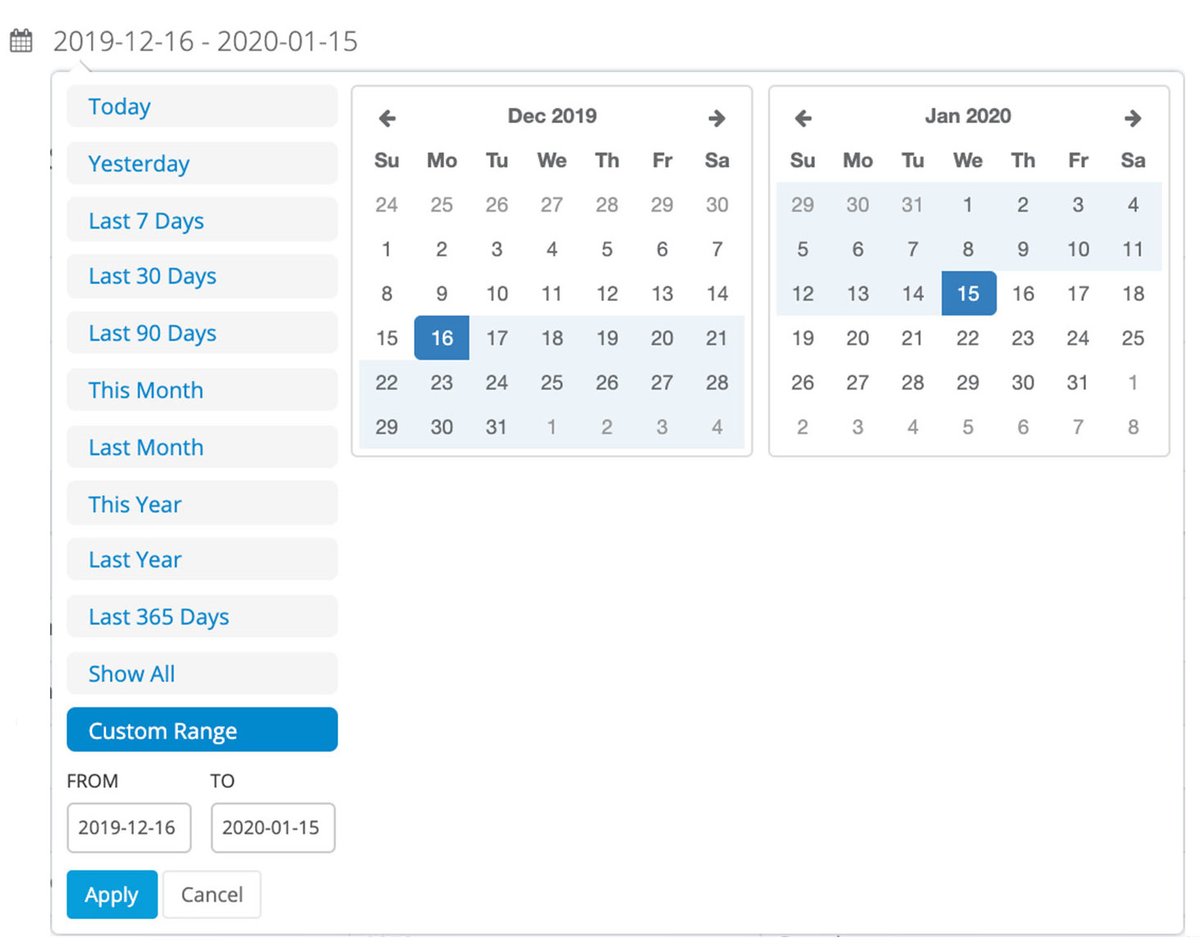
In the world of data, time is everything. Whether you're tracking sales trends, user activity, or system logs, the ability to pinpoint and analyze information within specific timeframes is non-negotiable. Mastering Database-Specific Methods for Date Range Creation isn't just a technical skill; it's a superpower that lets developers unlock crucial insights from their data. Without a robust understanding, you're not just inefficient; you're missing the story your data is trying to tell.
This guide is your deep dive into the practical art of date range querying and generation across popular database systems. We'll demystify the nuances, arm you with powerful SQL patterns, and help you write queries that are not only accurate but also performant.
At a Glance: Key Takeaways for Date Ranges
- ISO 8601 is Your Best Friend: Standardizing on 'YYYY-MM-DD' for dates (and 'YYYY-MM-DD HH:MI:SS' for datetimes) prevents countless headaches.
- Inclusive vs. Exclusive: Understand the subtle but critical difference between
BETWEEN 'Start' AND 'End'and using comparison operators (>= 'Start' AND < 'End_Plus_One'). The latter is often safer for datetimes. - Leverage Database Functions: Each database has its own robust set of functions for manipulating dates (e.g.,
DATE_SUB,DATEADD,TRUNC,GENERATE_SERIES). Learn them. - Optimize, Optimize, Optimize: Properly indexing your date columns and writing sargable queries are paramount for performance on large datasets.
- Handle Time Zones: Always be mindful of the time zone context of your data and server.
- Generate Rather Than Guess: For analytical purposes, sometimes you need to create a series of dates. Modern SQL offers elegant ways to do this.
The Foundation: Basic Date Range Filtering
At its heart, filtering data by a date range involves the WHERE clause. While seemingly straightforward, the specifics can vary depending on your database system and the precision you need.
Most modern databases (like MySQL, PostgreSQL, and SQL Server) generally conform to the ISO 8601 standard for date and datetime formats (e.g., 'YYYY-MM-DD' and 'YYYY-MM-DD HH:MI:SS'). Oracle, on the other hand, historically favors 'DD-MON-YY' but is perfectly capable of handling ISO 8601 with explicit conversion or proper NLS settings. Consistency is your goal here.
The Classic Inclusive Range: BETWEEN and Comparison Operators
For a simple, inclusive range—meaning you want all records from the start of the first day to the end of the last day—you have a couple of primary options.
Using BETWEEN:
This is often the most readable for full-day ranges. It includes both the start and end values.
sql
-- MySQL / PostgreSQL / SQL Server
SELECT *
FROM your_table
WHERE date_column BETWEEN '2023-01-01' AND '2023-12-31';
-- Oracle (assuming date_column is a DATE type, format dependent on NLS settings)
SELECT *
FROM your_table
WHERE date_column BETWEEN TO_DATE('2023-01-01', 'YYYY-MM-DD') AND TO_DATE('2023-12-31', 'YYYY-MM-DD');
Using Comparison Operators (>= and <=):
This achieves the same result as BETWEEN for simple date columns. Many developers prefer this explicit form as it leaves less to interpretation regarding inclusivity.
sql
-- All databases (with appropriate date literals)
SELECT *
FROM your_table
WHERE date_column >= '2023-01-01'
AND date_column <= '2023-12-31';
The Critical Time Component: Handling Datetime Precision
Here's where things get interesting, and often, where mistakes happen. If your date_column is actually a DATETIME, TIMESTAMP, or DATETIME2 type, using BETWEEN 'YYYY-MM-DD' AND 'YYYY-MM-DD' for end dates can truncate your range.
The Pitfall: When you specify '2023-12-31', most databases implicitly interpret this as '2023-12-31 00:00:00.000'. This means any records on December 31st after midnight will be excluded.
The Solution: Exclusive End Bounds
The safest, most precise way to define a date range when time components are present is to use an exclusive upper bound. You specify the beginning of the day after your desired end date.
sql
-- For an entire year (2023-01-01 00:00:00 to 2023-12-31 23:59:59.999...)
SELECT *
FROM your_table
WHERE date_column >= '2023-01-01 00:00:00'
AND date_column < '2024-01-01 00:00:00'; -- Crucially, less than the start of the NEXT day/year.
This pattern ensures you capture all moments within your desired period, right up to the very last millisecond of the end date, without explicitly needing to know the maximum time component precision (e.g., 23:59:59.999 vs 23:59:59.999999).
Don't Forget the Nulls: Including Records with Missing Dates
Sometimes, you might want to include records where the date_column is NULL in your date range query. This is a straightforward OR condition:
sql
SELECT *
FROM your_table
WHERE (date_column >= '2023-01-01' AND date_column < '2024-01-01')
OR date_column IS NULL;
Granular Control: Extracting Date Components
What if you need data from a specific quarter, or only within a particular month across multiple years? Most databases provide functions to extract components like year, month, and day from a date.
Filtering by Year, Month, or Day
sql
-- MySQL / SQL Server
SELECT *
FROM your_table
WHERE YEAR(date_column) = 2023;
-- PostgreSQL
SELECT *
FROM your_table
WHERE EXTRACT(YEAR FROM date_column) = 2023;
-- Oracle
SELECT *
FROM your_table
WHERE TO_CHAR(date_column, 'YYYY') = '2023';
Combining these allows for more specific ranges, like a particular quarter:
sql
-- Q2 2023 (April, May, June)
-- MySQL / SQL Server
SELECT *
FROM your_table
WHERE YEAR(date_column) = 2023
AND MONTH(date_column) BETWEEN 4 AND 6;
-- PostgreSQL
SELECT *
FROM your_table
WHERE EXTRACT(YEAR FROM date_column) = 2023
AND EXTRACT(MONTH FROM date_column) BETWEEN 4 AND 6;
-- Oracle
SELECT *
FROM your_table
WHERE TO_CHAR(date_column, 'YYYY') = '2023'
AND TO_CHAR(date_column, 'MM') BETWEEN '04' AND '06'; -- Note: Months are zero-padded strings
A Word of Caution: Sargability and Performance
While convenient, using functions like YEAR(), MONTH(), or EXTRACT() directly on an indexed date column in your WHERE clause can be a performance killer. When you apply a function to a column, the database often can't use an index on that column efficiently. This is known as making the condition non-sargable.
Better Approach (if performance is critical): Convert your static year/month conditions into proper date range comparisons using DATE_TRUNC, DATEFROMPARTS, or DATEADD to form sargable ranges.
sql
-- Sargable example for Q2 2023 (more performant on indexed columns)
-- MySQL / PostgreSQL
SELECT *
FROM your_table
WHERE date_column >= '2023-04-01'
AND date_column < '2023-07-01'; -- Start of Q3
-- SQL Server
SELECT *
FROM your_table
WHERE date_column >= '2023-04-01'
AND date_column < '2023-07-01'; -- Or DATEFROMPARTS(2023, 4, 1) and DATEFROMPARTS(2023, 7, 1)
Dynamic Ranges: Relative Dates and Moving Windows
Hardcoding dates is fine for static reports, but real-world applications often need dynamic ranges like "last 30 days," "current month," or "next week." Databases provide functions to compute these relative dates from the current date.
Getting the Current Date/Time
- MySQL:
CURRENT_DATE(),NOW() - PostgreSQL:
CURRENT_DATE,NOW() - SQL Server:
GETDATE(),CURRENT_TIMESTAMP,SYSDATETIME() - Oracle:
SYSDATE,CURRENT_DATE
Calculating Relative Dates
This is where the syntax diverges significantly between database systems, but the underlying logic is similar.
1. Last 30 Days (Inclusive of Today):
sql
-- MySQL
SELECT *
FROM your_table
WHERE date_column BETWEEN DATE_SUB(CURRENT_DATE(), INTERVAL 30 DAY) AND CURRENT_DATE();
-- PostgreSQL
SELECT *
FROM your_table
WHERE date_column BETWEEN (CURRENT_DATE - INTERVAL '30 days') AND CURRENT_DATE;
-- SQL Server
SELECT *
FROM your_table
WHERE date_column BETWEEN DATEADD(day, -30, GETDATE()) AND GETDATE();
-- Oracle
SELECT *
FROM your_table
WHERE date_column BETWEEN (SYSDATE - 30) AND SYSDATE;
2. Current Month (All Records from the 1st of the current month until now/end of month):
For precision, especially with datetime columns, it's best to define the start of the current month and the start of the next month.
sql
-- MySQL
SELECT *
FROM your_table
WHERE date_column >= DATE_FORMAT(CURRENT_DATE(), '%Y-%m-01')
AND date_column < LAST_DAY(CURRENT_DATE()) + INTERVAL 1 DAY;
-- Or simpler:
-- WHERE YEAR(date_column) = YEAR(CURRENT_DATE()) AND MONTH(date_column) = MONTH(CURRENT_DATE()); (Less sargable)
-- PostgreSQL
SELECT *
FROM your_table
WHERE date_column >= DATE_TRUNC('month', CURRENT_DATE)
AND date_column < DATE_TRUNC('month', CURRENT_DATE) + INTERVAL '1 month';
-- SQL Server
SELECT *
FROM your_table
WHERE date_column >= DATEADD(month, DATEDIFF(month, 0, GETDATE()), 0)
AND date_column < DATEADD(month, DATEDIFF(month, 0, GETDATE()) + 1, 0);
-- Oracle
SELECT *
FROM your_table
WHERE date_column >= TRUNC(SYSDATE, 'MM')
AND date_column < ADD_MONTHS(TRUNC(SYSDATE, 'MM'), 1);
3. Previous Month (All Records for the entire previous calendar month):
sql
-- MySQL
SELECT *
FROM your_table
WHERE date_column >= DATE_SUB(DATE_SUB(CURRENT_DATE(), INTERVAL DAY(CURRENT_DATE()) - 1 DAY), INTERVAL 1 MONTH)
AND date_column < DATE_SUB(CURRENT_DATE(), INTERVAL DAY(CURRENT_DATE()) - 1 DAY);
-- Simplified, often seen:
-- WHERE YEAR(date_column) = YEAR(DATE_SUB(CURRENT_DATE(), INTERVAL 1 MONTH))
-- AND MONTH(date_column) = MONTH(DATE_SUB(CURRENT_DATE(), INTERVAL 1 MONTH)); (Less sargable)
-- PostgreSQL
SELECT *
FROM your_table
WHERE date_column >= DATE_TRUNC('month', CURRENT_DATE - INTERVAL '1 month')
AND date_column < DATE_TRUNC('month', CURRENT_DATE);
-- SQL Server
SELECT *
FROM your_table
WHERE date_column >= DATEADD(month, DATEDIFF(month, 0, GETDATE()) - 1, 0)
AND date_column < DATEADD(month, DATEDIFF(month, 0, GETDATE()), 0);
-- Oracle
SELECT *
FROM your_table
WHERE date_column >= ADD_MONTHS(TRUNC(SYSDATE, 'MM'), -1)
AND date_column < TRUNC(SYSDATE, 'MM');
Non-Standard Formats: When Dates Aren't Dates (Yet)
Sometimes, your date information is stored as a string in a non-standard format (e.g., 'DD/MM/YYYY', 'MM-DD-YY'). Querying these directly in a date range will yield incorrect results because string comparison ORDER BY logic is different from date logic.
The Fix: Convert Before Comparing
You must convert the string column to a proper date/datetime type before attempting a date range comparison. This usually involves a database-specific conversion function.
sql
-- Example: Converting 'DD/MM/YYYY' string to a date for comparison
-- MySQL
SELECT *
FROM your_table
WHERE STR_TO_DATE(date_string_column, '%d/%m/%Y') BETWEEN '2023-01-01' AND '2023-12-31';
-- PostgreSQL
SELECT *
FROM your_table
WHERE TO_DATE(date_string_column, 'DD/MM/YYYY') BETWEEN '2023-01-01' AND '2023-12-31';
-- SQL Server
SELECT *
FROM your_table
WHERE CONVERT(DATE, date_string_column, 103) BETWEEN '2023-01-01' AND '2023-12-31'; -- Style 103 for DD/MM/YYYY
-- Oracle
SELECT *
FROM your_table
WHERE TO_DATE(date_string_column, 'DD/MM/YYYY') BETWEEN TO_DATE('2023-01-01', 'YYYY-MM-DD') AND TO_DATE('2023-12-31', 'YYYY-MM-DD');
Important: This approach is generally not performant as the conversion function must be applied to every row in the table, preventing index usage on date_string_column. The best practice is to store dates in appropriate DATE, DATETIME, or TIMESTAMP columns from the start. If you inherit a string date column, consider a one-time migration or add a computed/persisted column.
Advanced Scenarios: Querying Across Date Boundaries
Date ranges aren't always confined to calendar years or months. Fiscal years, custom reporting periods, or rolling windows often span calendar year boundaries.
Example: A Fiscal Year from July 2023 to June 2024
To query for data within a fiscal year that starts in July and ends in June, you need to combine conditions for two calendar years.
sql
SELECT *
FROM your_table
WHERE (YEAR(date_column) = 2023 AND MONTH(date_column) >= 7) -- From July 2023 onwards
OR (YEAR(date_column) = 2024 AND MONTH(date_column) < 7); -- Up to June 2024
Again, for better performance on indexed columns, convert this logic into explicit date ranges:
sql
SELECT *
FROM your_table
WHERE date_column >= '2023-07-01'
AND date_column < '2024-07-01'; -- Effectively July 1, 2023 to June 30, 2024
This demonstrates the power of framing your queries as inclusive start and exclusive end ranges, simplifying complex boundary conditions significantly.
Optimizing Your Date Range Queries
No matter how perfectly you formulate your date range, a poorly optimized query will grind to a halt on large datasets. Performance is paramount.
- Index Your Date Columns: This is the golden rule. A
B-treeindex on yourdate_column(ordatetime_column) allows the database to quickly jump to the relevant data, rather than scanning the entire table. - Use Sargable Conditions: As discussed, avoid applying functions to indexed columns in your
WHEREclause (e.g.,WHERE YEAR(date_column) = 2023). Instead, rewrite these into direct range comparisons (e.g.,WHERE date_column >= '2023-01-01' AND date_column < '2024-01-01'). - Consider Table Partitioning: For extremely large tables (billions of rows) where most queries involve date ranges, consider partitioning your table by date. This breaks the table into smaller, more manageable segments, allowing the database to prune partitions and only scan the relevant data segments. This is an advanced technique, but incredibly powerful for time-series data.
- Data Type Matters: Always use the appropriate
DATE,DATETIME, orTIMESTAMPdata type for your date columns. Storing dates as strings is a cardinal sin for performance and data integrity.
Beyond Selection: Generating a Series of Dates
Sometimes, you don't just want to filter existing data by a date range; you need to create a sequence of dates. This is invaluable for reporting, filling gaps in data, or performing time-based aggregations where not every date has a corresponding record. You might want to generate a row for each date in a given period to ensure completeness.
Modern SQL databases offer elegant ways to do this. We'll focus on SQL Server's GENERATE_SERIES() (introduced in SQL Server 2022) as a prime example, then briefly touch on conceptual alternatives for other systems.
SQL Server's GENERATE_SERIES() for Date Series
GENERATE_SERIES(start, stop, step) produces a series of numbers. When combined with date arithmetic functions like DATEADD(), it becomes a powerful date series generator.
1. Generating a Series of Days:
Let's generate all dates for January 2023:
sql
SELECT
DATEADD(day, value, '2023-01-01') AS GeneratedDate
FROM
GENERATE_SERIES(0, DATEDIFF(day, '2023-01-01', '2023-01-31'), 1) AS s(value);
GENERATE_SERIES(0, DATEDIFF(day, '2023-01-01', '2023-01-31'), 1): This creates a series of numbers starting from 0, going up to the number of days between '2023-01-01' and '2023-01-31' (which is 30), incrementing by 1. So,valuewill be 0, 1, 2, ..., 30.DATEADD(day, value, '2023-01-01'): For eachvaluefromGENERATE_SERIES, this adds that manydayunits to the base date'2023-01-01'.DATEADD(day, 0, '2023-01-01')-> '2023-01-01'DATEADD(day, 1, '2023-01-01')-> '2023-01-02'- ...and so on, up to '2023-01-31'.
2. Generating a Series of Months, Years, or Hours:
Simply change thedatepartargument inDATEADD():
sql
-- Generate months for a year
SELECT DATEADD(month, value, '2023-01-01') AS GeneratedMonthStart
FROM GENERATE_SERIES(0, 11, 1) AS s(value);
-- Generate hourly timestamps for a day
SELECT DATEADD(hour, value, '2023-10-26 00:00:00') AS GeneratedHour
FROM GENERATE_SERIES(0, 23, 1) AS s(value);
3. Converting toDATEType:
IfDATEADD()returns aDATETIMEbut you only need theDATEpart, simplyCASTorCONVERTit:
sql
SELECT
CAST(DATEADD(day, value, '2023-01-01') AS DATE) AS GeneratedDateOnly
FROM
GENERATE_SERIES(0, 30, 1) AS s(value);
4. Using Integer Representation for Dates (SQL Server specific):
SQL Server stores dates internally as integers (number of days since '1900-01-01'). You can exploit this. For example, '2023-12-27' is 45287 days after '1900-01-01'.
sql
-- Generate 7 days starting from '2023-12-27'
SELECT DATEADD(day, value, '1900-01-01') AS GeneratedDate
FROM GENERATE_SERIES(45287, 45293, 1) AS s(value); -- 45287 is 2023-12-27, 45293 is 2024-01-02
This method might seem arcane, but it's a powerful way to understand how dates are handled internally and can sometimes be more efficient for very large series generations if you're already dealing with integer representations.
Alternatives for Other Databases
If GENERATE_SERIES() isn't available (e.g., older SQL Server versions, MySQL, Oracle, PostgreSQL), you'll typically use:
- Recursive CTEs (Common Table Expressions): A powerful, standard SQL feature supported by PostgreSQL, SQL Server, and Oracle. You define a base case and a recursive part that generates the next date.
CONNECT BYClause (Oracle): Oracle's proprietary way to generate hierarchical data, often repurposed for sequential data like dates.- Table of Numbers/Calendar Table: A common strategy is to pre-create a permanent
Numberstable (0 to N) or aCalendartable (containing every date for decades) and join against it. This is often the most performant approach for very complex date series generation and analysis, as the table can be fully indexed.
Common Pitfalls and Best Practices
To avoid common headaches, keep these points in mind:
- Time Zones are Real: Always be aware of the time zone context of your
CURRENT_DATE/NOWfunctions and your stored data. Is your server UTC? Is your application converting? Inconsistent time zone handling is a frequent source of bugs. - Inclusive vs. Exclusive: Reiterate the importance of
date_column >= 'Start' AND date_column < 'End_Plus_One'for datetime columns to ensure full coverage. - Performance is Not Optional: Profile your queries. Use
EXPLAINorANALYZE(or SQL Server's execution plan) to understand if your indexes are being used and where bottlenecks lie. - Validate Inputs: If users are providing date range inputs, sanitize and validate them vigorously to prevent SQL injection and ensure they conform to expected date formats.
- Use
TRUNCorDATE_TRUNCfor Alignment: When comparing dates or building ranges, functions likeTRUNC(date, 'DD')(Oracle) orDATE_TRUNC('day', date)(PostgreSQL) are excellent for normalizing datetime values to the start of a day, simplifying comparisons.
Charting Your Course Through Time-Based Data
Effective date range creation is more than just writing SQL; it's about thinking clearly about time, precision, and performance. You've now seen how to define basic inclusive ranges, precisely handle time components, leverage dynamic relative dates, navigate non-standard formats, and even generate entire sequences of dates.
The specific syntax will shift slightly depending on whether you're working with MySQL, PostgreSQL, SQL Server, or Oracle. However, the underlying principles—using sargable conditions, indexing correctly, and being explicit about inclusivity—remain universal. By internalizing these methods, you're not just executing queries; you're building a deeper understanding of your data's temporal story, empowering you to retrieve exactly what you need, when you need it, with confidence and speed. Your data, and your users, will thank you.